The Short Answer:
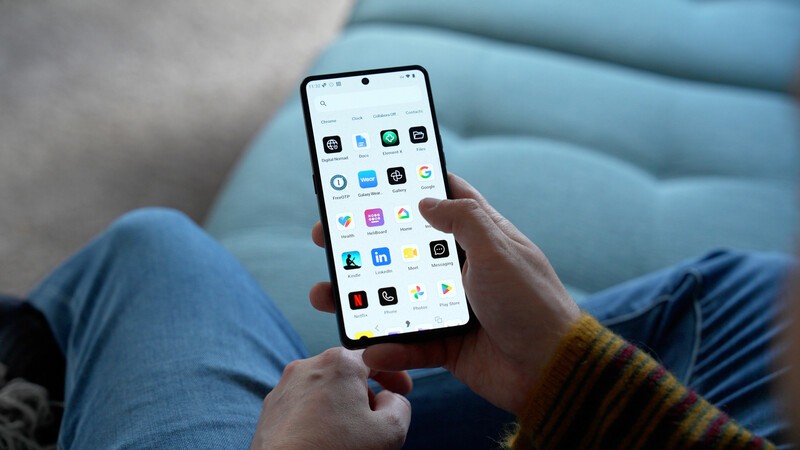
Yes. The Punkt. MC03 runs AphyOS, which features a built-in feature called the GMS Wizard. It acts as a private, on-device translator for standard Android apps. Your transit, delivery, and messaging apps get the information they need to work properly, but your location, keystrokes, and personal files are never sent to Google's advertising servers.
If you have started paying attention to data privacy recently, you have probably run into an annoying dilemma.
You know your current smartphone tracks your location, monitors your browsing, and builds a profile on your habits to sell ads. But the alternatives seem daunting and require too much tinkering to be practical. You either have to switch to an old-school flip phone, or learn how to write computer code to install a custom operating system.
Neither option works in the real world. You still need to hail a ride, check in for a flight, message friends on WhatsApp, and deposit cheques into your bank account. You cannot cut yourself off from modern conveniences.
This is the exact problem the Punkt. MC03 and AphyOS were built to fix. Here is how it keeps your favourite apps working without letting Big Tech spy on you.
Why Standard Smartphones Track You
To understand the solution, it helps to look at what normal phones do behind your back.
When you buy a standard Android phone, it comes with Google's background software running deep inside the system.
When you use an app like an airline tracker or food delivery service, that app relies on Google's background tools to handle its notifications and map lookups.
This isn't necessarily done to be malicious, it's done to support convenience features.
But those conveniences are coming at a cost: you're paying with your personal data.
Depending on how diligent you are with your privacy settings, this could mean your moves and actions are tracked around the clock: the Wi-Fi networks you walk past, how often you pick up your handset, and everywhere you travel, even when your phone is sitting idle on your nightstand.
The plot thickens. Because you can't easily break up with these Google services. Typically, if you simply strip Google off a phone, those everyday apps break because their background helper is missing.
The Solution: A Built-In Private Translator
Apostrophy solved this with a simple premise: keep the apps, remove the spying.
Instead of letting Google run deep inside the phone's engine, AphyOS includes an on-device tool called the GMS Wizard.
Think of it as a private local translator:
- Apps Get What They Need: When a delivery app asks, "Is Google here to help send an arrival alert?" the phone answers locally on the device.
- Google Stays Out: Because that check happens entirely on your physical phone, no background data, browsing history, or location tracking ever leaves your device.
Two Separate Spaces: The Vault vs. The Wild Web
In daily life, you show different sides of yourself to different people. How you speak with your doctor or partner is different from how you interact with a cashier.
Standard smartphones ignore this entirely. They dump all your data into one big digital bucket where any app with basic permissions can look around.
The MC03 fixes this by dividing your phone into two distinct spaces:
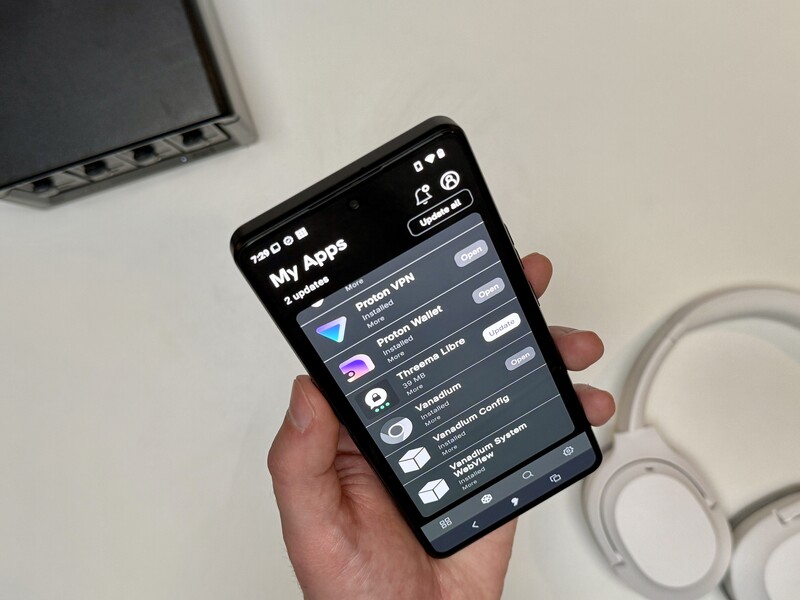
- The Vault (Your Private Living Room): This is your safe space. A private area on your phone just for the most important stuff. It holds your personal contacts, private notes, photos, and calendar. No apps can snoop here, and zero tracking takes place.
- The Wild Web (The Busy City): This is where your everyday convenience tools live like Uber, food delivery, shopping, and airline apps. They run smoothly using the private translator, but they are quarantined in their own space. If an app tries to peek at your private Vault photos or contacts, it hits an empty digital wall.
The Reality Check: What About Mobile Banking?
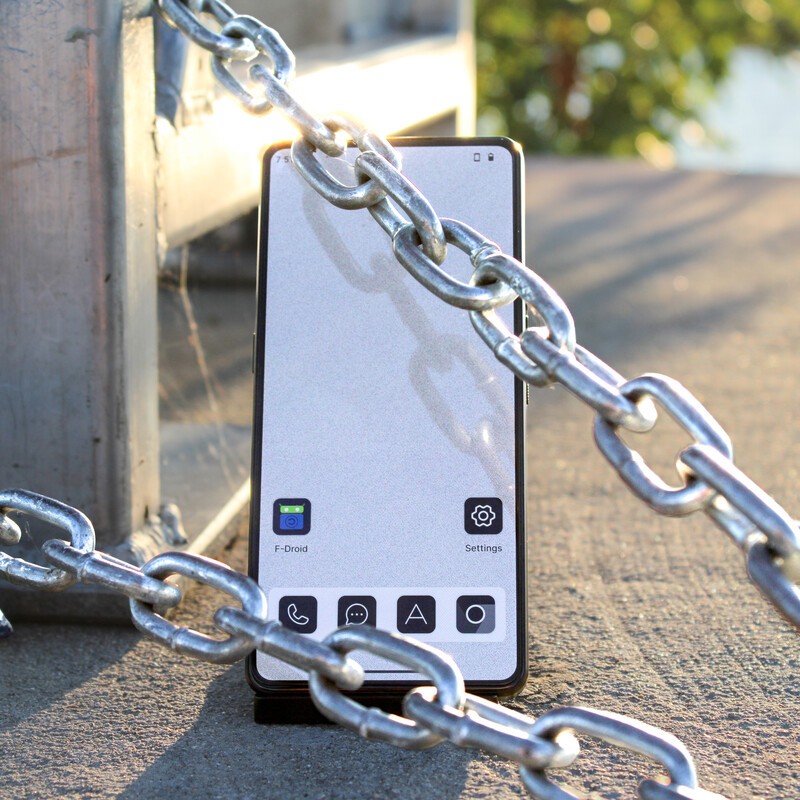
Transparency matters. Because the MC03 refuses to let Google take root control over the hardware, there are two specific things to keep in mind:
- Google Wallet (Tap-to-Pay): Proprietary tap-to-pay through Google Wallet requires official Google tracking software running at the processor level, so it does not work here. Most users simply tap a physical card or use a payment fob instead.
- Select Banking Apps: Most banking apps install and work normally. However, a small handful of banks require Google's proprietary security checks baked into the chip. For those specific banks, you can simply log into your account through the phone's secure web browser.
For those curious you can get a deeper dive into how banking apps flag alternative operating systems (like AphyOS) right here.
Real Privacy for Everyday People
Taking control of your data shouldn't require an engineering degree, and it shouldn't force you to give up modern conveniences.
By pairing European-assembled hardware with an operating system that translates app requests locally, the Punkt. MC03 provides a practical middle ground: all the everyday apps you rely on, with none of the surveillance you want to leave behind.
Read more

Thinking of Buying a Pixel for GrapheneOS? Check Apostrophy First
Thinking of buying a Pixel just to flash GrapheneOS? Explore the real-world trade-offs of DIY privacy ROMs vs. out-of-the-box sovereignty on the Punkt MC03 with Apostrophy OS.
Why the Punkt MC03 is the Ultimate Hardware for Your Proton Account
Software alone can only protect your privacy so much. Enter, the The Punkt MC03, a smartphone designed to run the AphyOS operating system and protect your device from any unwanted tampering. By blowing a special eFuse before shipping, the MC03 is immune from firmware tampering. For the ultimate in data protection, both hardware and software need to be in sync, and the MC03 is designed...

Do Slack and Teams Work on AphyOS?
Because AphyOS operates completely free of Google Mobile Services (GMS), applications like Teams and Slack face a hard environment shift. The native Google libraries they rely on for push notifications, location triangulation, and licensing checks are completely absent.
Enterprise Smartphone Security: Why a Sovereign OS Fits Business
Enterprise security layers only work together when each layer can be trusted. IT, Compliance, and Fleet Managers are often left with the difficult task of verifying "sovereign" claims, but AphyOS can provide a fully sovereign tech stack when paired with sovereign hardware, like the Punkt. MC03.