To maintain an uncompromised mobile ecosystem, the application delivery pipeline for AphyOS operates under a strict, multi-tiered curation framework.
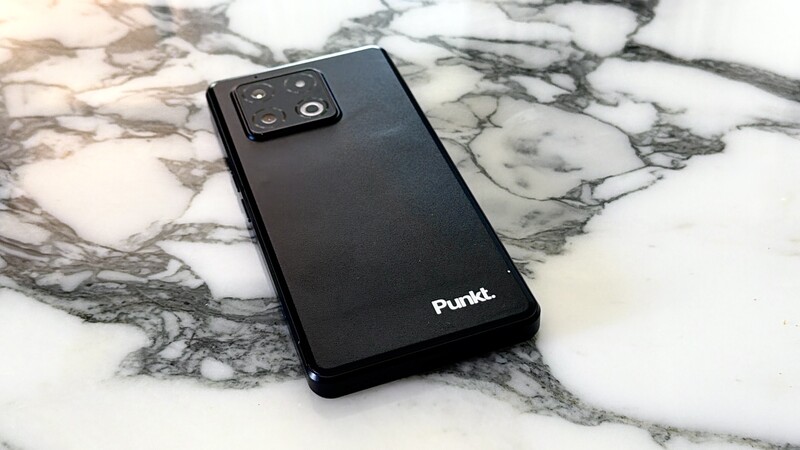
Unlike standard mass-market directories that prioritize catalog volume over software integrity, the ecosystem powering AphyOS relies on formal verification criteria to determine how applications are distributed, highlighted, or embedded natively on devices like the Punkt. MC03.
This guide outlines the baseline rules, technical dependencies, and evaluation tiers used to certify applications for the App Store, Recommended Apps, Vault, and the Onboarding App Picker so you have a clearer idea of the critieria and scruitiny that goes into the apps you'll find on an AphyOS-powered smartphone.
The Four Gates of Application Inclusion
Before an app is part of the secure parition of the AphyOS experience, it must pass through several evaluation steps. These apps then may appear within different areas of your OS experience when using an Apostropphy-powered device.
Gate 1: Baseline Criteria for the App Store
Inclusion in the primary App Store makes an application available to all users within the secure ecosystem. To qualify for the base directory, a piece of software must satisfy two strict structural rules:
- Zero Ecosystem Lock-In (MUST NOT): The application must operate entirely independently of Google Mobile Services (GMS). If an application requires proprietary framework dependencies to execute push notifications, sync data, or verify locations, it is ineligible.
- Cryptographic Upstream Signing (MUST): To guarantee software authenticity, the application must be available via a secure download path compiled, released, and cryptographically signed directly by the original upstream developer.
- Automated Lifecycle Management (MUST): A clear, verifiable mechanism must be available to automatically notify our distribution servers when an application update is pushed by the developer.
While we strongly prefer open-source software, applications are not strictly required to be open-source to enter the baseline App Store, provided they pass all network telemetry and privacy baseline audits.
Gate 2: Inclusion in "Recommended Apps" (Safe Apps)
The "Recommended Apps" tier functions as a targeted endorsement of applications that add exceptional protective value to a user's workflow—frequently highlighting optimized alternative clients that users might not discover through routine searches.
To be featured in this tier, an application faces enhanced verification rules:
- Strict Open Source Mandate (MUST): The software must be fully open-source, allowing for complete peer review of its underlying code.
- Value-Add Optimization (SHOULD): The tool must directly fill an unaddressed utility gap, providing an immediate privacy upgrade over conventional mainstream alternatives.
- Ecosystem Harmony (SHOULD NOT): The app must not introduce structural conflicts with core built-in security services.
Gate 3: The Vault Placement
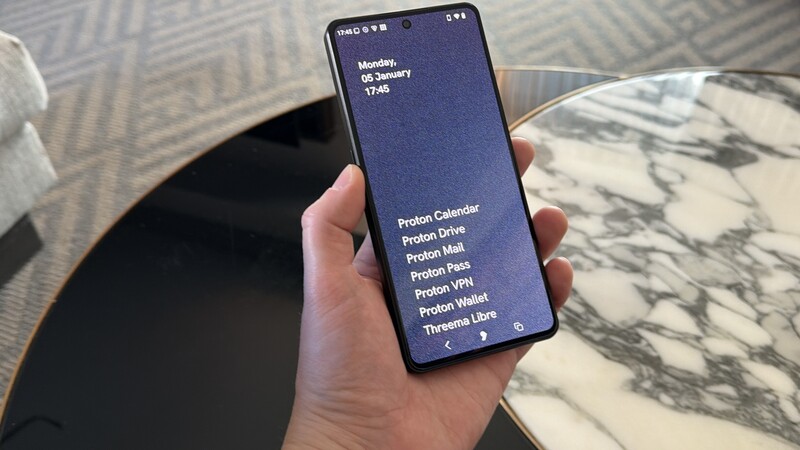
The Vault is a specialized home screen interface reserved exclusively for high-trust utility suites. Because a shortcut on the Vault home screen represents a deep structural validation from our architecture team, qualification is treated as an exclusive privilege.
- App Store Prerequisite (MUST): The application must already be successfully certified and hosted within the primary App Store.
- Unambiguous Labeling (MUST): The software must use a distinct, branded identity rather than a generic functional title. For example, a submission must be explicitly labeled as "Proton Mail" or "Tuta Mail" rather than a generic name like "Email."
- High-Frequency Utility (SHOULD): Vault placement is reserved for applications built for daily interaction. Software designed for occasional use (such as a monthly administrative tool) is excluded to keep the home screen workspace clean.
- Respectful Attention Design (SHOULD): The software must follow clean interaction patterns. Applications that push self-serving advertisements, engagement loops, or non-essential telemetry notifications are barred from Vault status.
Gate 4: The Onboarding "App Picker"
The App Picker is the initial configuration menu presented to a user during the first-time setup wizard. To prevent configuration fatigue, this list is tightly managed and moves toward a modular, group-based structure.
To be featured during the initial device setup, an app MUST meet all baseline App Store rules, MUST be fully eligible for Vault inclusion, and SHOULD fit logically into a curated profile bundle (such as an office suite or an end-to-end encrypted communication package) tailored to a specific audience.
The Evaluation Taxonomy
When a developer submits a proposal for software certification, our review team catalogs the utility against a strict operational spreadsheet to guarantee total transparency:
| APPLICATION SUBMISSION MATRIX | |
|---|---|
| Technical Identifiers | Label, ID, Provider Entity, Portability Stack |
| Source Provenance | SCM URL (Git), Base License, Signed Binary URL |
| Architectural Trait | GMS Dependencies, Expected Core Functions |
| Behavioral Telemetry | Notification Frequency, Expected Data Inputs |
By categorizing software transparently—ranging from fully open-source, self-hostable utilities to essential state-owned public transit tools—AphyOS establishes an auditable software repository, giving enterprise deployments and regular users total control over what code executes on their hardware.
Q&A: App Store Curation and Software Rules
Why are apps with Google Mobile Services (GMS) dependencies excluded from the App Store?
Applications with Google Mobile Services (GMS) dependencies are excluded because they rely on proprietary cloud frameworks to execute core tasks like location mapping and push notifications. To ensure absolute data sovereignty and prevent hidden background tracking, our software directory requires applications to be fully decoupled from external tech giant architectures.
What does upstream cryptographic signing mean for app security?
Upstream cryptographic signing means that the application binary is compiled and cryptographically locked directly by the original software developer rather than a third-party repository mirror. Verifying this signature ensures the software has not been altered, injected with un-audited code, or tampered with during distribution.
What are the criteria for an app to be placed on the Vault home screen?
To be placed on the Vault home screen, an application must be hosted in the primary App Store, carry a clear brand label rather than a generic functional title, and demonstrate high-frequency daily utility. Additionally, it must feature clean interaction design, meaning it is strictly barred from pushing self-serving advertisements or engagement hooks.
How does the onboarding App Picker choose which software to display?
The onboarding App Picker displayed during the first-time setup wizard only includes applications that have passed all baseline App Store requirements and meet strict Vault inclusion standards. These applications are organized into functional suite groupings to help users configure a clean, tracking-free mobile workspace instantly.
Read more

Welcome to Proton Drive
Proton Drive is a privacy-focused, end-to-end encrypted equivalent to Google Drive. Offered in free and paid versions, the article explains how to sign up for the service, delves into some of its key features, and compares the free and paid versions of the Proton drive app.
Welcome to Proton Mail
Proton Mail is the privacy-focused mail application from Swiss-company Proton. Proton has a mission to promote internet privacy and data sovereignty as a right for all internet users. The article goes into a number of features in Proton Mail and instructions on how to use them.

The actual cost of "free" online services
While services provided by Big Tech may not cost you money, they do cost your privacy. This article explores how companies like Google make billions of dollars by tailoring custom advertisements to the individual by collecting data on them via multiple methods.

Why you want to pay for Proton (and maybe why you don't)
Proton provides a suite of productivity applications that combine convenience and ease of use with enhanced data protection and privacy. Explore why upgrading from the free Proton apps to the paid versions is likely right for many users, but maybe not all.