Productivity suites like Google Workspace are designed to save you time and enable collaboration across your team. But in today's world of data ransoms and cybercrime, what if data security is higher on the priority list for your business?
Enter Proton, with a suite of comparable apps designed with end-to-end encryption from the ground up so your data stays your data. Just like Google, Proton offers both personal and business versions of their applications.
Can Proton really compete with the behemoth that is Google? Let's find out.
How does each company handle your data?
Knowing where your data is stored and who has access to it is important to any business, but in fields such as legal, financial, and medical, data privacy and security are of paramount importance.
Who holds the keys to your data?
With Proton, all data is encrypted on a user's device before it travels to Proton's servers in Switzerland. Proton does not have a way to read that data; if their servers are compromised, the hacker sees gibberish. You are the gatekeeper to your information.
Google, on the other hand, has the ability to decrypt your data. This is how Google can do things like automatically sort your e-mail into different classifications and its AI makes suggestions. If their servers are breached, your data may be too.
Confidentiality versus convenience.
Apps like Gmail can do more things automatically than Proton can, but with a little effort, setting up tools like mail filtering and labeling, Proton can provide a comparable user experience.
Productivity apps
Both Google and Proton provide alternatives to Microsoft Office; Google Docs, Sheets, and Slides serve as replacements for Word, Excel, and Powerpoint respectively. Proton offers their own version of Docs and Sheets (packaged with Proton Drive), but no Powerpoint alternative.
The Proton versions of Docs and Sheets are a little more basic than the Google versions, which may be a pro or a con depending on how you use them. Gemini AI is baked into the Google apps, but more on that later.
Business security tools
With a premium Proton business plan, Proton VPN and Proton Pass are both included. Proton VPN allows remote workers to browse securely on any internet connection or route traffic through dedicated business gateways. Proton Pass includes a corporate password manager with shared vaults for secure passwords, providing a secure way to deploy shared credentials amongst a team.
Google takes a different approach by providing a comprehensive Admin Console with advanced endpoint management (for example, the ability to wipe a lost work phone remotely). However, if a team needs a shared password manager or a VPN, those must be obtained from third party providers.
Artificial Intelligence
Gemini is incorporated into almost every product Google offers. This does provide a number of conveniences that can save a lot of time; summarizing e-mail chains into a brief synopsis, putting data into reports, and more. To do these things however requires giving Google permission to process your information in real-time.
Proton has its own AI tool, Lumo, and has a paid add-on called Proton Scribe that can help with drafting e-mails. With these tools, your data remains sandboxed within your organization and is never exposed to any third-party, including Proton. While perhaps not as robust as Gemini as a result in terms of capabilities, the alternative for some companies would be no AI assistance at all due to privacy regulations.
So which is better?
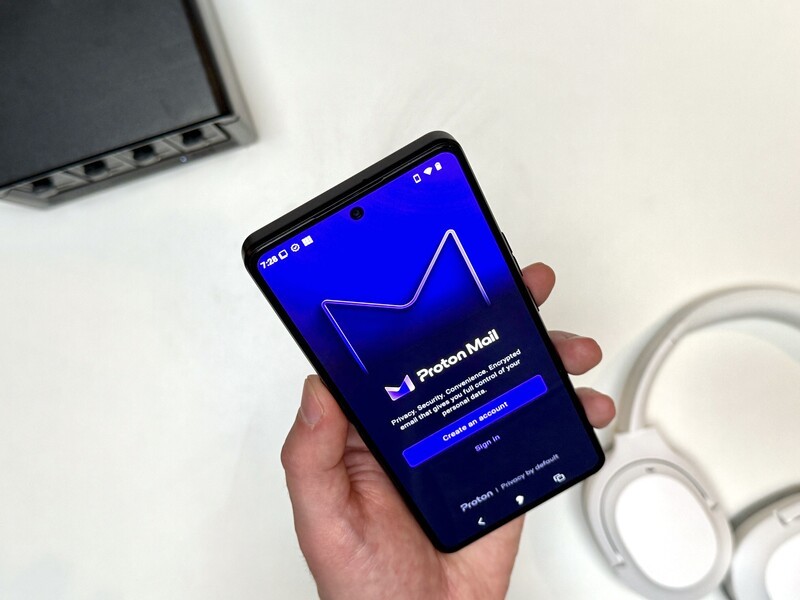
Both Google and Proton's productivity and work suite options have pros and cons to consider. Google provides a high-powered, highly integrated ecosystem of apps that deliver a lot of features, but need to read your data to do so.
Proton on the other hand is built from the ground up with data security and sovereignty at its core. The user experience is very similar to Google's, but has the added peace of mind that all data is end-to-end encrypted and protected by Switzerland's strictest privacy laws on the planet.
Ultimately it boils down to whether convenience or confidentiality is the higher priority.
Chaces are if you're a person who uses AphyOS you have a higher awareness of security and data privacy. And likely, you'll want a work suite of apps that aligns with the privacy-by-default approach.
Proton is one of the apps that we allow to be installed Inside of the Vault on our operating system.
Both Proton and Google apps will work in AphyOS, but Vault-approved Proton offers the higher level of security.
The Vault is the secure section of the phone, where only apps vetted to have the highest levels of security can be installed; Proton apps are all trusted and Vault-approved. Google's apps would need to reside in the Wild Web, where all non-vetted mobile apps are installed.
For anyone who care about their data sovereignty and wants apps for creating documents, draft spreasheets, and other common workplace needs, the Proton suite of apps are among the best for providing a Google-like experience, but with a privacy-first approach.
Read more

Welcome to Proton Calendar
Proton Calendar is the Proton equivalent to Google Calendar. Proton Calendar provides end-to-end encryption and does not read users data. The article provides information on how to register for the service, key features, comparison to Google Calendar, and a breakdown of free versus paid features.

Welcome to Proton Drive
Proton Drive is a privacy-focused, end-to-end encrypted equivalent to Google Drive. Offered in free and paid versions, the article explains how to sign up for the service, delves into some of its key features, and compares the free and paid versions of the Proton drive app.
Welcome to Proton Mail
Proton Mail is the privacy-focused mail application from Swiss-company Proton. Proton has a mission to promote internet privacy and data sovereignty as a right for all internet users. The article goes into a number of features in Proton Mail and instructions on how to use them.

Why you want to pay for Proton (and maybe why you don't)
Proton provides a suite of productivity applications that combine convenience and ease of use with enhanced data protection and privacy. Explore why upgrading from the free Proton apps to the paid versions is likely right for many users, but maybe not all.